Relying on digital shortcuts like the ‘undo’ button and automated ‘tweening’ is the fastest way to create sterile, weightless animation that lacks impact and emotional connection.
- True animation discipline is forged by intentionally limiting your digital tools to mimic the constraints of traditional, hand-drawn methods.
- Mastering principles like timing, spacing, and weight is a cognitive skill, not just a technical one; it requires solving motion problems, not just drawing frames.
Recommendation: Begin by dedicating one hour a week to frame-by-frame exercises where the ‘undo’ button is disabled. Focus on capturing the rhythm of a movement, not on creating a perfect drawing.
If you’re a UK-based animator who started your journey in the digital age, you likely feel a constant pressure. The pressure to be faster, to deliver more for less, and to rely on the powerful shortcuts your software provides. The ‘undo’ button is your safety net, and automated tweening is your loyal time-saving assistant. But there’s a nagging feeling, isn’t there? A sense that your work, while technically clean, lacks the life, weight, and impact of the classics. You see characters that float instead of stomp, gestures that feel mushy instead of sharp, and a polished veneer that hides a hollow core.
Many will tell you to simply « practice more » or point you towards basic features like onion skinning. They might say that hand-drawn animation just has more « soul, » without explaining what that actually means in a practical sense. The truth is, the problem isn’t your tools; it’s the absence of limitations. The masters of traditional animation developed an iron-clad discipline because every line was a commitment and every frame was a cost. They had to solve motion problems in their heads before their pencil ever touched the paper.
But what if the key to unlocking that same discipline wasn’t to abandon your digital workflow, but to weaponize its limitations? This guide is not about nostalgia or rejecting technology. It’s a discipline-building framework for the modern UK animator. We will explore how to consciously re-introduce the productive constraints of the past into your digital process. You will learn to build kinesthetic memory, understand timing on a fundamental level, and ultimately make your animation feel not just seen, but felt. We will dissect the technical choices, the psychological impact, and the financial strategies that make this approach not just an artistic pursuit, but a viable career path.
This article provides a structured approach to building foundational animation skills in a digital world. The following sections will guide you through understanding the core problem, acquiring practical techniques, and making this discipline a commercially viable part of your skillset.
Summary: A UK Animator’s Path to Frame-by-Frame Mastery
- Why Do Animators Who Started Digital Struggle With Timing Compared to Traditional?
- How to Learn Traditional Animation Timing Using Free Digital Frame-by-Frame Tools?
- Animate Every Frame or Every Second Frame: Which for Which Movement Type?
- The Over-Tweened Animation That Lost All Weight and Impact
- How to Study Motion Reference That Improves Your Animation Without Rotoscoping?
- Why Do Hand-Drawn Films Feel More « Human » Than CGI to 70% of Viewers?
- Which Animation Steps to Automate and Which to Keep Manual for Quality?
- How Can UK Animators Use Hand-Drawn Methods Without Being Priced Out?
Why Do Animators Who Started Digital Struggle With Timing Compared to Traditional?
The core of the issue lies in how motion is learned. For decades, an animator’s training was unforgiving. With physical cels and paint, there was no ‘Cmd+Z’. This forced a « think first, draw later » mentality. Animators had to internalize the principles of timing, spacing, and arcs because mistakes were costly in both time and materials. This environment naturally bred a deep, intuitive understanding of physics and performance. It was a discipline forged in fire, where motion problem-solving was the primary skill, and drawing was the means of expressing the solution.
The digital era, for all its incredible benefits, removed these constraints. An animator who starts on a tablet can experiment endlessly with no penalty. While this encourages creativity, it can also become a crutch. Instead of planning a motion, the animator « finds » it by nudging keyframes, re-drawing constantly, and relying on the software to fill the gaps. This creates a fundamental disconnect from the feeling of weight and momentum. The struggle with timing isn’t a lack of talent; it’s a lack of kinesthetic memory built through deliberate, constrained practice.
This shift is also reflected in education. While many courses cover the 12 principles, the practical application has changed. In the UK, the widespread adoption of digital tools in education has been rapid. In fact, research on UK animation education evolution shows that between 2015 and 2018, digital learning platforms fully embraced animation. While many programs wisely start with traditional skills, the pressure to quickly move to commercially relevant software means the foundational discipline-building phase can be compressed, leaving animators with powerful tools but a less-developed internal « timing metronome. »
How to Learn Traditional Animation Timing Using Free Digital Frame-by-Frame Tools?
You don’t need a multi-thousand-pound Cintiq or expensive software to build this discipline. The goal is to simulate the productive constraints of a traditional desk using free, powerful tools. It’s about being intentional with your digital environment to force your brain to do the heavy lifting. The key is to set up your workspace not for speed, but for deliberate practice and learning.
The first step is to choose a tool that allows for pure frame-by-frame animation. Software like Krita or the Grease Pencil function in Blender are perfect for this. They are robust, professional-grade, and completely free. Once installed, the most critical feature to master is ‘onion skinning.’ This function, which shows a faint overlay of previous and subsequent frames, is the digital equivalent of a light table. It’s the visual key that allows you to understand and control the ‘spacing’ of your drawings, which dictates the speed and rhythm of the movement.
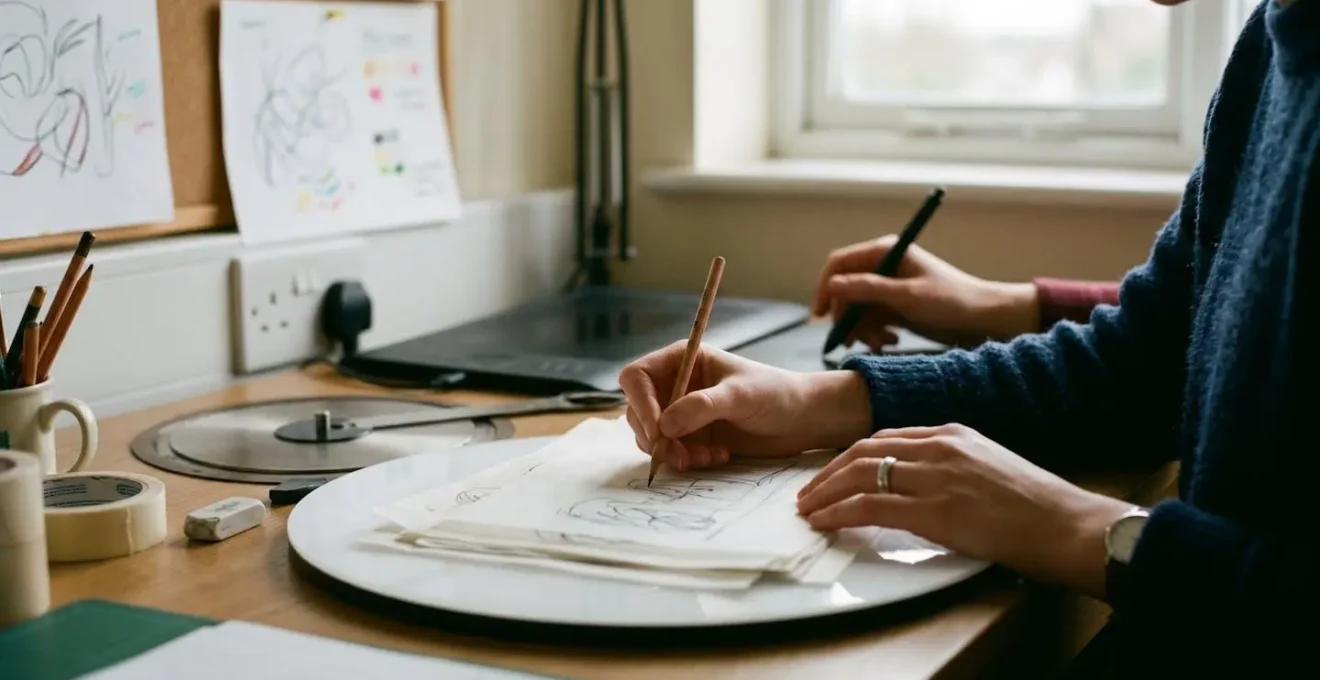
As the image of a modern animator’s workspace suggests, the setup is minimalist but powerful. Your focus should be on the timeline and the canvas. By consciously limiting your tools—perhaps even un-mapping the ‘undo’ shortcut for specific exercises—you force yourself to commit to your lines and plan your actions more carefully. This isn’t about punishment; it’s about training. Below is a simple, effective method to get started.
- Download Krita: As a free, open-source tool licensed under the GNU GPL, it allows unlimited use for any purpose, including commercial work, without a subscription.
- Enable Onion Skinning: This allows you to see previous frames as a faint overlay while drawing the current one, perfectly replicating the traditional tracing paper technique.
- Set Up Your Timeline for Frame-by-Frame: Commit to the process of drawing each frame by hand, just as it was done for classic Disney films.
- Practice Without Undo: For specific exercises, force commitment and forward-planning by disabling or ignoring the undo function, mimicking the high stakes of traditional cel animation.
- Explore Blender’s Grease Pencil: As a powerful alternative, it offers professional 2D frame-by-frame capabilities within a comprehensive 3D environment, perfect for more complex projects.
Animate Every Frame or Every Second Frame: Which for Which Movement Type?
One of the most fundamental decisions in frame-by-frame animation is the choice between animating on « ones, » « twos, » « threes, » or even « fours. » This isn’t just a technical or time-saving choice; it’s a core stylistic and performance decision that defines the texture and rhythm of your animation. Understanding when to use each technique is a hallmark of a disciplined animator who controls their craft, rather than letting the software dictate the feel.
Animating on ones means creating a unique drawing for every single frame of the film (24 drawings for one second of 24fps film). This produces the smoothest possible motion and is essential for extremely fast actions, violent impacts, or whip-fast camera pans where every millisecond of movement needs to be clearly defined to avoid strobing or jitter. It’s the premium, high-octane choice for moments that require maximum fluidity and detail.
Animating on twos, where each drawing is held for two frames (12 drawings per second), is the industry workhorse. It’s the standard for most character animation, from dialogue scenes to walk cycles. It provides a beautiful, hand-crafted cadence that retains fluidity while being significantly more economical than animating on ones. This technique strikes the perfect balance between artistic quality and the budget constraints of most commercial projects, particularly for UK freelancers. Going further, using « threes » or « fours » can create highly stylized, punchy, or ethereal movements, often seen in experimental films or for background elements.
The table below breaks down these choices, providing a clear guide for UK freelancers on how each technique can be used not just as an artistic tool, but as a strategic business decision.
| Animation Technique | Frames Per Second | Best Used For | Commercial Advantage for UK Freelancers |
|---|---|---|---|
| Animating on Ones | 24 unique drawings per second | Fast actions, impacts, dynamic motion requiring maximum fluidity | Premium pricing for high-quality character animation and feature work |
| Animating on Twos | 12 unique drawings per second (each held for 2 frames) | Standard character movement, dialogue, walking cycles | Optimal balance of hand-crafted feel within typical commercial budgets |
| Animating on Threes | 8 unique drawings per second | Stylized motion, slow movements, background characters | Efficient for UK commercial work while maintaining artistic quality |
| Animating on Fours | 6 unique drawings per second | Very slow deliberate actions, atmospheric effects, experimental styles | Enables unique graphic style for UK agency work and music videos |
The Over-Tweened Animation That Lost All Weight and Impact
We’ve all seen it. The corporate explainer video, the mobile game character, the social media ad. The movement is technically smooth, the lines are clean, but it’s utterly lifeless. This is the tell-tale sign of « the weightless tween »—animation where a computer has perfectly interpolated the movement between two key poses without any understanding of the physics or emotion behind the action. The result is a character that feels like a paper cutout being dragged across the screen. There’s no anticipation before a jump, no sense of strain when lifting an object, and no follow-through as a movement comes to a rest.
This happens because automated tweening can only handle the ‘what’ (move from point A to B), not the ‘how’. It creates a mathematically perfect, but emotionally sterile, motion path. True animation gets its weight and impact from imperfection and the application of physical principles. A real-life arm doesn’t move at a constant speed; it accelerates and decelerates. A powerful punch isn’t just a fast-moving fist; it’s a complex sequence of anticipation, weight shift, impact, and recoil. These are the nuances that a digital animator must manually inject.
The contrast is stark when you visualize it. The smooth, predictable curve of a digital tween looks efficient, but the hand-drawn path, with its variations in spacing and arc, is what gives a movement its character and believability. The good news is that even an over-tweened animation can be rescued. It requires a surgical approach, identifying the key storytelling moments and replacing the robotic motion with deliberate, hand-crafted key poses.
Action Plan: The Tween Rescue Workflow
- Isolate Key Moments: Review your animation and identify the 3-5 most critical storytelling poses or actions—a hand gesture, a facial expression, a moment of impact—where emotion and weight are paramount.
- Analyze the Damage: Export your over-tweened sequence (e.g., from After Effects) as individual frames. Step through them to see exactly where the motion feels floaty or lacks force.
- Perform Surgical Replacement: In the identified problem areas, delete the tweened frames and manually draw the key poses that define the action. This single act forces a deep understanding of the motion.
- Re-apply Core Principles: As you redraw, consciously apply traditional principles. Add anticipation before the main action, introduce squash and stretch at moments of impact, and refine the timing and spacing for convincing acceleration.
- Inject Imperfect Accents: You don’t need to redraw everything. Focus on adding 10-15% of manual, frame-by-frame details in critical areas to restore the human touch and give the entire piece a sense of weight and emotional connection.
How to Study Motion Reference That Improves Your Animation Without Rotoscoping?
Using reference is crucial, but there’s a world of difference between studying motion and merely copying it. The most common trap for digital animators is rotoscoping—tracing over live-action footage frame by frame. While it can be a useful tool for specific effects, as a learning method, it’s a disaster. Rotoscoping teaches you to copy shapes, not to understand movement. It bypasses your brain entirely, preventing you from internalizing the very principles you’re trying to learn: force, weight transfer, and rhythm.
A disciplined animator uses reference as a scientist uses data: to observe, form a hypothesis, and test it. The goal is not to replicate the exact trajectory of a limb, but to understand the underlying mechanics and emotion of the action. Why does a sad walk feel heavy? It’s not just about the position of the legs; it’s about the lack of upward bounce, the slight drag of the feet, the downward curve in the line of action through the spine. To truly learn, you must break down a movement into its core components.
The following method forces you to do just that. It’s a quick, powerful exercise designed to train your brain to capture the essence of a movement, building a mental library of motion that you can draw upon for any character in any situation. It’s about feeling the rhythm of the action, not just seeing its outline.
- Select UK-Specific Motion Reference: Don’t just grab a generic clip. Use video of uniquely British motion to build a more personal library. Study the darting movement of a robin, the powerful take-off of a red kite, a cricketer’s bowling action, or the brutal grace of a rugby tackle.
- Watch the Reference Video Only ONCE: This is the most important step. Resist the temptation to loop, pause, or scrub. This forces your brain to capture the overall gesture and energy rather than getting bogged down in detail.
- Create Rapid Thumbnail Sketches: Immediately after the single viewing, grab a pen and paper (or a new digital canvas) and create 20-30 tiny thumbnail sketches from memory. Work incredibly fast, spending no more than 5-10 seconds per sketch.
- Focus on Line of Action and Rhythm: Do not draw contours or anatomy. Your only goal is to capture the flow and energy of the movement. Is the line of action a C-curve? An S-curve? A straight, powerful line? Capture the trajectory.
- Analyze, Don’t Trace: Now, go back to the video. Use frame-stepping to analyze the key moments. Look for the anticipation, the point of maximum force, the transfer of weight, and the follow-through. Compare what you see to your gesture drawings. This is where the real learning happens.
Why Do Hand-Drawn Films Feel More « Human » Than CGI to 70% of Viewers?
It’s a common sentiment, often dismissed as pure nostalgia, but there is a tangible, psychological reason why hand-drawn animation often fosters a stronger emotional connection with audiences. It’s not just about aesthetics; it’s about the subconscious detection of the artist’s hand. Every slightly wobbly line, every minor inconsistency in volume from one frame to the next—the « boil »—serves as a constant, subtle reminder that what you are watching was crafted by a human being. This creates a direct, empathetic link between creator and viewer that perfectly polished CGI can struggle to replicate.
This isn’t just an artistic opinion; it’s backed by perceptual science. A study on the psychological impact and influence of animation highlights how the human brain processes these visual stimuli. The imperfections are not seen as errors but as evidence of authenticity. As one piece of animation perception research notes:
The human brain subconsciously registers the subtle line variations, ‘boil’, and imperfections in hand-drawn animation as evidence of a human creator, fostering a direct, empathetic connection that polished CGI can lack.
– Animation perception research, Psychological Impact and Influence of Animation on Viewer’s Visual Attention and Cognition
In the UK, no one exemplifies this principle better than Aardman Animations. The thumbprints visible in the plasticine of Wallace & Gromit aren’t mistakes to be polished out; they are a celebrated part of the studio’s identity. They are a constant, tactile reminder of the painstaking, frame-by-frame process. This hand-crafted aesthetic creates a powerful sense of warmth and character that has become deeply embedded in the UK’s cultural identity. It proves that the « human » feel isn’t an abstract concept—it’s a direct result of the manual, frame-by-frame process, where every decision, and every tiny imperfection, is a form of communication.
Which Animation Steps to Automate and Which to Keep Manual for Quality?
For a freelance animator in the UK, the debate isn’t « traditional vs. digital » but « profitable vs. unprofitable. » Embracing frame-by-frame discipline doesn’t mean abandoning all automation. To survive and thrive, you must become a pragmatist, a hybrid hero who knows exactly which tasks to delegate to the machine and which sacred steps must always remain in the artist’s hands. Wasting time on manual tasks that a computer does better is bad business; automating the soul of a performance is artistic suicide.
The key is to differentiate between laborious process and creative performance. Any task that is repetitive, technical, and has a mathematically « correct » outcome is a prime candidate for automation. This includes the initial setup of a character rig, simulating the physics of cloth or hair in the background, or the painstaking process of filling in flat colours (‘flatting’). Using AI-assisted tools for rotoscoping reference or cleanup can save countless hours of non-creative work, freeing up your time and budget for where it truly matters.
Conversely, any step that involves acting, emotion, and storytelling must be kept manual. These are the non-negotiable elements that define quality and connect with an audience. The subtlest eye-dart, the specific timing of a hand gesture, or the succession of key poses that communicate a character’s thought process are all creative acting choices. No algorithm can decide the perfect, heartbreaking hesitation before a character turns away. That is your job. That is where your value as an artist lies.
Here is a pragmatic workflow model for UK freelancers to balance artistry and efficiency:
- AUTOMATE: Rigging setup and character bone structure. Use modern tools, including AI-assisted rigging, to save days of technical setup.
- AUTOMATE: Secondary motion systems. Let the software handle cloth simulation, hair physics, and particle effects for background elements.
- AUTOMATE: Colour flatting and basic cleanup. Use AI-assisted « paint bucket » tools and cleanup software for these laborious but non-creative tasks.
- KEEP MANUAL: Facial expressions and eye animation. These are the soul of the performance and require nuanced human acting choices.
- KEEP MANUAL: Hand gestures and key storytelling poses. These are critical for clear emotional communication and narrative clarity.
- KEEP MANUAL: Performance timing and spacing. The core creative acting choices, the rhythm and feel of the motion, are what clients pay a premium for. This is non-negotiable.
Key Takeaways
- Digital tools are not the enemy, but their thoughtless application is. True discipline comes from simulating traditional constraints in a digital environment.
- The most critical, high-impact moments of a performance—facial expressions, key poses, and timing—must remain a manual process to retain quality and emotional weight.
- For UK animators, mastering frame-by-frame isn’t just an artistic choice; it’s a business strategy that allows you to offer a premium, high-value service.
How Can UK Animators Use Hand-Drawn Methods Without Being Priced Out?
Let’s be realistic: for a working UK animator, time is money. The fear that embracing a « slower » hand-drawn or frame-by-frame approach will make your services uncompetitive is valid. However, this fear is based on a misunderstanding of the market. The goal is not to apply painstaking frame-by-frame techniques to every project. The goal is to develop a premium skill set that allows you to command higher rates for projects that demand it and to work more intelligently on all others.
Mastering frame-by-frame discipline makes you a better animator, even on projects that are 90% automated. You’ll set better key poses for a rigged character, you’ll spot timing issues in a motion graphics piece instantly, and your eye for arcs and spacing will elevate everything you touch. This enhanced skill set makes you more valuable, not less.
Furthermore, you can strategically structure your services. Instead of a single price, you can offer a tiered system. A standard package might use efficient digital rigging, while a premium package includes the « Frame-by-Frame Accent » service—hand-drawn facial expressions, bespoke effects animation, or key moments re-animated with manual finesses for a significant price uplift. You’re not selling « slower work »; you’re selling superior quality and emotional impact as a quantifiable, premium product. This positions you as a high-craft specialist, not a low-cost commodity.
For larger projects, the UK’s financial landscape offers direct support for this kind of quality-focused work. Animators and production companies can leverage specific funding and tax incentives designed to bolster the UK’s world-class creative industry.
- Strategy 1: Leverage UK Animation Tax Relief: As confirmed by a guide on UK animation tax credits, expenditure credits available from January 2024 offer a significant 29.25% net value for qualifying productions, making ambitious hand-drawn projects far more viable.
- Strategy 2: Structure ‘FBF Accent’ as a Premium Service: Offer a standard digital/rigged package, then propose a premium tier with hand-drawn facial expressions or effects for a 20-30% price increase.
- Strategy 3: Target UK-Specific Funding: Actively apply for grants from bodies like the BFI, Arts Council England, and regional funders such as Screen Scotland, which often prioritize artistic, author-driven animation over purely commercial work.
- Strategy 4: Build a High-Value Social Media Portfolio: Create and share short (10-15 second) but extremely high-quality hand-drawn animation loops on platforms like Instagram and TikTok. This acts as low-cost, high-impact marketing to attract clients who value craft.
Start today. Open your software, create a 50-frame timeline, and choose one simple action: a ball bounce, a blinking eye, a waving hand. Now, disable your undo button. Plan the motion in your head, draw your key poses, and feel the weight of commitment in every line. This is the first step from being an operator of software to becoming a master of animation.