
Static spreadsheets and slide decks filled with KPI data rarely spark action. Stakeholders skim them, executives request summaries, and your insights get lost in translation. The core frustration for marketing and communications teams is clear: the effort invested in gathering performance metrics never matches the attention those numbers receive. Recent shifts in content consumption patterns have accelerated the adoption of animated infographics as the preferred format for presenting key performance indicators. Instead of rows of figures that demand interpretation, motion graphics transform data into visual narratives that stakeholders actually watch and remember.
Your roadmap to transforming KPIs into engaging animated content:
- Animated visuals improve information retention compared to static charts by leveraging motion-based cognitive processing
- Template-based platforms reduce creation time to 15 minutes for professional output without editing expertise
- Time-series metrics like revenue growth and conversion trends benefit most from animation
- Optimal video length sits between 30 and 60 seconds to maintain engagement above 50%
What makes animated infographics different from static charts?
The difference between a static bar chart and an animated one goes deeper than visual appeal. Motion triggers distinct cognitive pathways that enhance how viewers process and retain information. The Springer Cognitive Research guidelines on animated visualization clarify that computer screens enable data visualizations to show processes of change over time, making temporal patterns immediately graspable rather than requiring mental reconstruction from static snapshots.

Research from the PLOS ONE eye-tracking study on multimedia learning demonstrates that effective multimedia content design boosts performance and captures visual attention through motion-based signaling. When a revenue line animates upward across quarters, viewers track the trajectory rather than comparing endpoint values. This sequential revelation builds narrative momentum that static charts cannot replicate.
50%
Average engagement rate maintained for videos under one minute, compared to just 17% for content exceeding 60 minutes
The neuroscience underpinning this advantage centers on the brain’s prioritization of movement. Visual systems evolved to detect motion as a survival mechanism, making animated elements inherently attention-capturing. For KPI presentations competing against endless notification streams and competing browser tabs, this biological wiring translates into measurable engagement differences. Industry data shows videos under one minute maintain 50% engagement rates, while longer formats drop to 17%, according to aggregated 2026 data from HubSpot and Wyzowl.
Why marketing teams are switching to motion graphics for KPI reporting?
Marketing operations teams previously relied on static dashboards embedded in quarterly decks, accepting low engagement as unavoidable. Template-based video creation platforms have compressed production timelines from hours to minutes, transforming what once required After Effects expertise into browser-based workflows completed during a coffee break.

The business case rests on three converging factors. First, platforms with drag-and-drop interfaces enable non-editors to produce broadcast-quality output in roughly 15 minutes. Second, distribution channels reward video formats algorithmically, extending organic reach without ad spend. Third, internal stakeholder preferences have shifted decisively toward digestible video summaries over text-heavy reports.
Template-based creation workflows have democratized access to professional motion graphics. Where manual animation in traditional software demands keyframe precision and export codec knowledge, modern platforms abstract those complexities behind intuitive controls. Users select data visualization templates designed specifically for common KPI types like growth trends, funnel conversions, or comparative benchmarks. The platform handles animation timing, transitions, and rendering automatically. Teams exploring this approach can see how it works through interfaces that prioritize speed without sacrificing visual quality.
The ROI justification extends beyond engagement metrics. Animated video now represents 23% of all company video production, trailing only live-action formats at 51%, with this production share doubling since 2023 as template libraries expanded. According to aggregated industry research, 82% of video marketers reported that video delivers positive return on investment in 2026. For teams measured on content performance, the efficiency gains compound over quarterly reporting cycles.
The anatomy of a high-impact KPI visualization
Not all metrics deserve animation. The decision to add motion should follow strategic logic rather than aesthetic preference. Time-series data showing change across periods benefits enormously from sequential revelation. Revenue growth tracking across quarters, customer acquisition cost trends over months, or engagement rate evolution throughout a campaign all gain clarity when animated chronologically. Viewers grasp directional momentum intuitively as lines climb or descend.
Conversely, single-point comparisons often work better as static displays. If the goal is comparing five product categories by current market share, a static pie chart or bar graph allows simultaneous scanning without the cognitive overhead of tracking motion. The visual hierarchy principle applies: use animation to guide attention sequentially through complex data narratives, not to add unnecessary flourish to simple comparisons.
The over-animation trap: Marketing teams frequently sabotage their message by animating every element simultaneously. When title text flies in while charts spin and background gradients pulse, viewers experience cognitive overload rather than clarity. Effective motion graphics follow the principle of progressive disclosure — reveal one insight at a time with deliberate pacing.
Visual hierarchy determines what viewers notice first, second, and third. Primary metrics deserve the largest visual weight and longest screen time. If quarterly revenue growth is the hero insight, that trend line should dominate the frame while supporting metrics like customer count or average order value appear as contextual annotations. Animation timing reinforces hierarchy through sequencing: introduce the primary metric first, allow comprehension time, then layer supporting data. Every visual element should communicate information; decorative flourishes that don’t encode data dilute your message.
Before animating your first KPI, verify your metric shows change over time rather than static comparison. Limit animated elements to 3-4 data series maximum to prevent cognitive overload. Confirm color contrast ratios meet WCAG AA standards for accessibility, and plan transition timing at 0.5-0.8 seconds per element for comprehension. These foundational checks prevent the most common visualization mistakes that undermine stakeholder engagement.
| KPI Type | Animation Benefit | Recommended Format | Optimal Duration |
|---|---|---|---|
| Revenue growth trends | High | Animated line chart with quarterly markers | 40-50 seconds |
| Funnel conversion rates | High | Staged funnel with sequential drop-off | 30-40 seconds |
| Engagement rate evolution | Medium | Area chart with timeline scrubbing | 35-45 seconds |
| Current market share by segment | Low | Static pie chart or bar comparison | N/A (static preferred) |
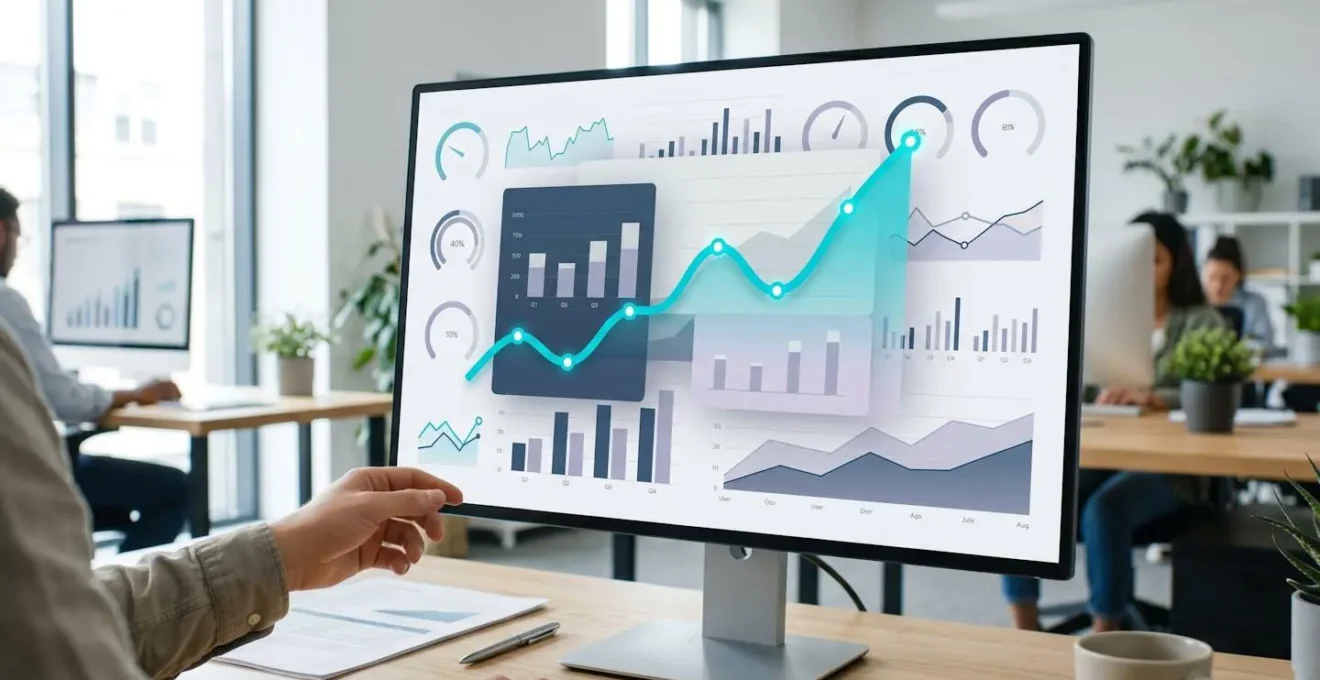
Color psychology and contrast ratios deserve deliberate attention even in motion. Accessibility standards like WCAG guidelines apply equally to animated content; viewers with visual impairments or color blindness need sufficient contrast to distinguish data series. Motion sensitivity affects a meaningful portion of audiences, making reduced-motion alternatives or slower transition speeds essential considerations for inclusive design.
The narrative structure separates forgettable motion graphics from compelling ones. Data alone rarely persuades; context transforms numbers into insights. Frame your KPI animation as a three-act story: establish the baseline or problem state, show the transformation or trend, conclude with the outcome or implication. This narrative scaffolding gives viewers cognitive handrails to follow, making retention significantly more likely than raw data dumps. For teams ready to explore advanced animation storytelling principles beyond basic motion, consulting resources like this animation guide beyond cartoons provides deeper conceptual frameworks.
From raw data to animated insight: your creation roadmap
Transforming spreadsheet data into animated visuals follows a systematic workflow. The process balances creative decisions with technical execution, but template-based platforms handle most complexity automatically. Teams who previously abandoned animation projects due to software learning curves discover that structured approaches make production manageable within tight content calendars.
Begin by auditing your available KPIs for narrative potential. Which metrics show meaningful change rather than static snapshots? Revenue climbing quarter-over-quarter tells a growth story; total current revenue is a single data point. Customer acquisition cost declining over six months illustrates efficiency gains; today’s CAC lacks temporal context. Prioritize time-series data with directional movement that animation can emphasize through visual momentum. Audience context dictates metric selection as much as data availability. Executive stakeholders typically want outcome-focused KPIs like revenue, profit margin, or market share. Operational teams need process metrics like lead velocity, conversion funnel stages, or support ticket resolution times.
Visual hierarchy determines what viewers notice first, second, and third. Primary metrics deserve the largest visual weight and longest screen time. If quarterly revenue growth is the hero insight, that trend line should dominate the frame while supporting metrics like customer count or average order value appear as contextual annotations. Animation timing reinforces hierarchy through sequencing: introduce the primary metric first, allow comprehension time, then layer supporting data.
Template libraries organized by KPI type accelerate production substantially. Instead of designing animation curves from scratch, select pre-built templates for common scenarios like growth trends, comparative rankings, or geographic distributions. Customization focuses on data input, color scheme alignment with brand guidelines, and minor layout adjustments rather than fundamental motion design. Timing calibration separates amateur animations from professional output. Transitions that occur too quickly create confusion; viewers need cognitive processing time between information reveals. Research on multimedia learning suggests 0.5 to 0.8 seconds per discrete element provides adequate comprehension windows.
The workflow begins with data import: upload spreadsheet files or paste data directly into the platform interface, mapping columns to template variables. Next, customize visual styling by applying brand colors, adjusting font selections, and modifying layout proportions to match organizational identity guidelines. Preview the automated animation sequence, adjusting transition speeds and pause durations for optimal comprehension pacing. Finally, render the final video in formats optimized for your target channels, whether social media platforms, presentation software, or web embedding.
Real-world scenario: Quarterly stakeholder reporting
A B2B software company’s marketing team faced recurring challenges with quarterly board presentations. Static PowerPoint slides packed with tables and charts generated minimal discussion; board members skimmed the data during meetings rather than engaging with insights. The team restructured their approach around a 60-second animated KPI summary covering revenue growth, customer churn reduction, and acquisition cost trends. The sequential animation format revealed metrics progressively, building narrative tension as positive trends emerged. Board engagement shifted markedly — questions doubled, the video was shared internally across departments, and subsequent presentations adopted the same format as standard practice.
Distribution strategy extends beyond creation mechanics. Native video uploads to LinkedIn and Twitter perform better algorithmically than external links. For internal communications, embedding animated KPIs directly into collaboration platforms like Slack or Teams increases view rates compared to attachment-based sharing. Email newsletters benefit from animated GIF previews that link to full video versions, balancing file size constraints with visual impact. The broader democratization of video creation skills continues transforming how non-editors produce content, as explored in approaches to professional videos for non-editors across various production contexts.
How long should an animated KPI infographic run?
Industry data shows optimal engagement occurs between 30 and 60 seconds. Videos under one minute maintain 50% average engagement rates, while content exceeding that threshold sees significant drop-off. Aim for 45 seconds as a target, allowing flexibility based on metric complexity.
Do I need video editing experience to create professional animated infographics?
Template-based platforms eliminate editing skill requirements. Users select pre-designed animation templates, input data, customize colors and branding, then export finished videos. The entire process typically takes 15 minutes for straightforward KPI visualizations.
Which KPIs work best in animated format versus static charts?
Time-series metrics showing change over periods benefit most from animation — revenue trends, conversion funnel progression, engagement rate evolution. Single-point comparisons like current market share by category often work better as static displays that allow simultaneous scanning.
How do I ensure animated content remains accessible?
Maintain WCAG-compliant color contrast ratios, provide captions or text alternatives, and consider reduced-motion versions for viewers sensitive to animation. Transition timing should stay above 0.5 seconds per element to allow adequate processing time for all viewers.
What file formats work best for different distribution channels?
Social media platforms favor MP4 format with H.264 codec for native uploads. Email newsletters benefit from animated GIF previews due to file size constraints. Presentation software accepts MP4 or MOV formats for embedded playback. Most template platforms export multiple formats simultaneously.
Start with a single high-impact metric that shows clear temporal change — quarterly revenue growth or monthly conversion trends make ideal candidates. Select a template designed for that specific data type rather than attempting custom design from scratch.
Stakeholder feedback provides the most valuable optimization signal. Track whether animated KPI videos generate more follow-up questions or get shared more frequently compared to previous static reports, then scale production accordingly.
The question facing marketing teams is no longer whether to adopt animated KPI visualization, but how quickly to integrate it into standard reporting workflows. As template quality improves and production timelines compress further, the efficiency advantage compounds with each quarterly cycle. Data buried in spreadsheets transforms into shareable visual assets that extend reach organically while improving stakeholder comprehension and retention simultaneously.